CTL Dash

Native COSMIC desktop application for managing systemd services.

Rust
Linux
COSMIC
systemd
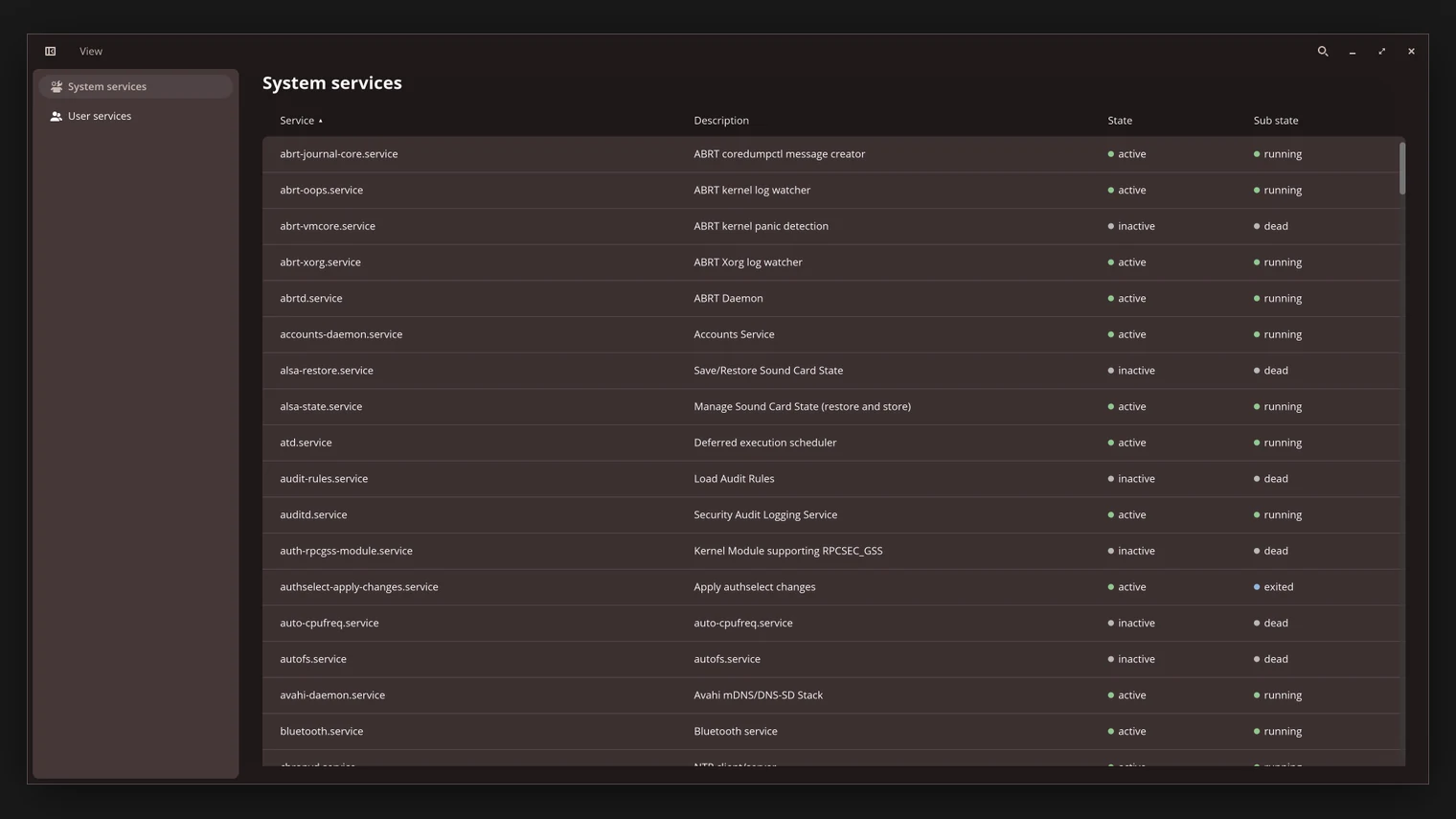
CTL Dash services list showing system services such as abrt-journal-core and accounts-daemon with active and running states
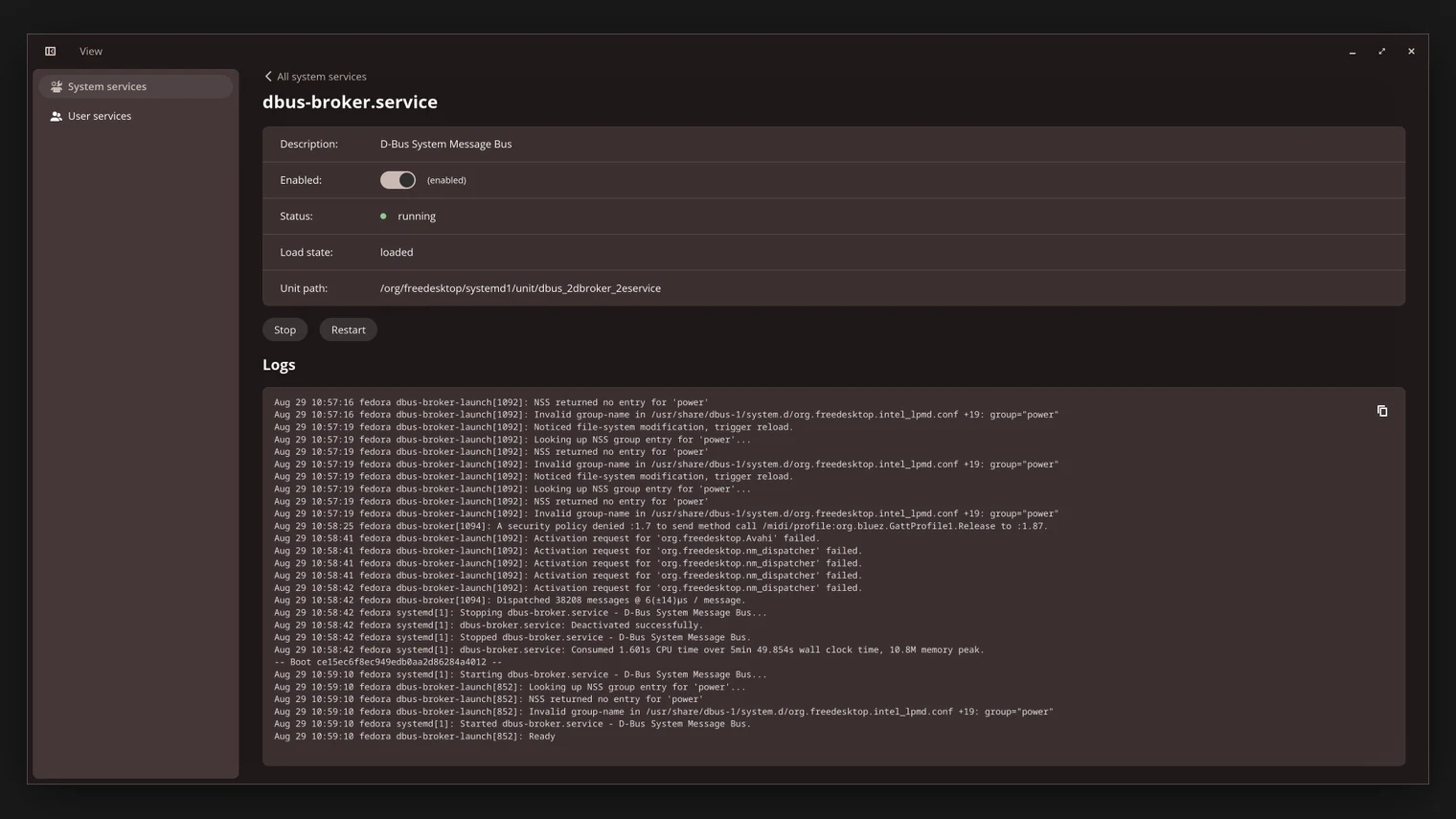
CTL Dash service details view showing the unit file, status controls and recent journal logs for a single systemd service

I wanted to build something that interacts with the Linux desktop rather than simply running on Linux. CTL Dash is a native COSMIC application for inspecting and controlling systemd services, giving me a practical way to learn Rust desktop development and Linux service management.

Why I Built It

Every Linux machine I use runs on systemd, but managing services still means dropping into a terminal, remembering unit names and typing the right verbs in the right order. I wanted a native interface for that work.

The COSMIC desktop environment from System76 was building momentum with a Rust-native toolkit, and it felt like the right opportunity to write a desktop application in Rust that integrates with the system instead of a generic cross-platform UI.

What I Wanted to Learn

Rust desktop development with libcosmic: the widget model, application architecture and how COSMIC apps fit into the desktop.

How systemd is actually driven - the D-Bus API behind systemctl, unit states, sub-states and the difference between a service being active and running.

Desktop-grade concerns: localization, theming, keyboard navigation and behaving politely as a privileged operation launcher.

Technical Overview

CTL Dash talks to systemd over D-Bus. The system bus and the user bus are treated as separate views, so the same interface manages both system-wide units and the user's own services.

The service list reflects unit state as systemd reports it - load, active and sub-state - and details views expose unit properties, enabling controls and journal logs for a single unit.

Control operations (start, stop, restart, enable, disable) are issued as D-Bus calls, with polkit handling authorization where privileges are required.

Interesting Engineering Decisions

Using the D-Bus API directly rather than shelling out to systemctl. It gives structured replies, property change signals and no parsing of human-oriented output.

Localization from day one with Fluent translation files, so the interface language is data rather than compiled-in strings.

A justfile-driven build workflow covering release builds, vendored dependency tarballs and clippy checks, which keeps the project easy to build on any distribution.

Challenges & Trade-offs

libcosmic is young. Documentation is sparse and evolving, so a meaningful part of the work was reading the toolkit's source to understand how composite widgets and state updates are meant to compose.

Modeling systemd's state machine faithfully took care. A unit can be enabled but inactive, active but failed, or in a transient state - the UI has to represent those distinctions without becoming confusing.

Privileged operations are inherently disruptive. The app leans on systemd's own transaction model rather than trying to queue or reverse operations itself.

What I Learned

The shape of systemd's D-Bus interface and how much functionality sits behind it beyond start and stop.

Practical Rust application architecture: message-driven updates, ownership across the widget tree, and where async fits in a desktop app.

How to write a COSMIC application that respects desktop conventions - theming, localization, icons and accessibility.

That Linux service management is a UX problem as much as a systems problem.